%22%2F%3E%0A%20%20%20%20%3Crect%20width%3D%221600%22%20height%3D%221000%22%20fill%3D%22url(%23glow)%22%2F%3E%0A%20%20%3C%2Fsvg%3E)
Solar O&M
Test inverters, meters, weather stations, and protection relays at the solar site.
MODBUS RTU · RS485 · ANDROID
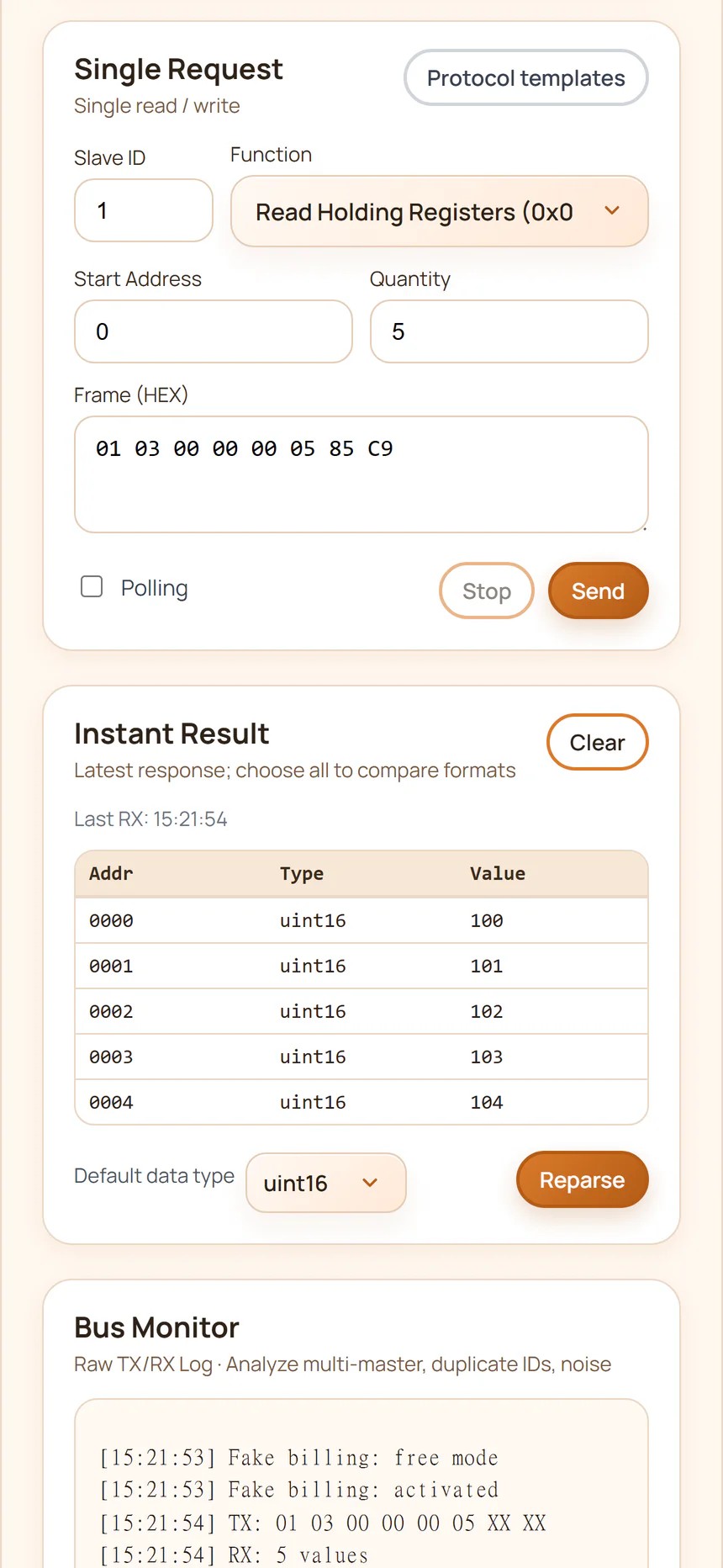
Read and write registers, scan Slave IDs, inspect raw TX/RX frames, decode values, and troubleshoot communication problems — without carrying a laptop.

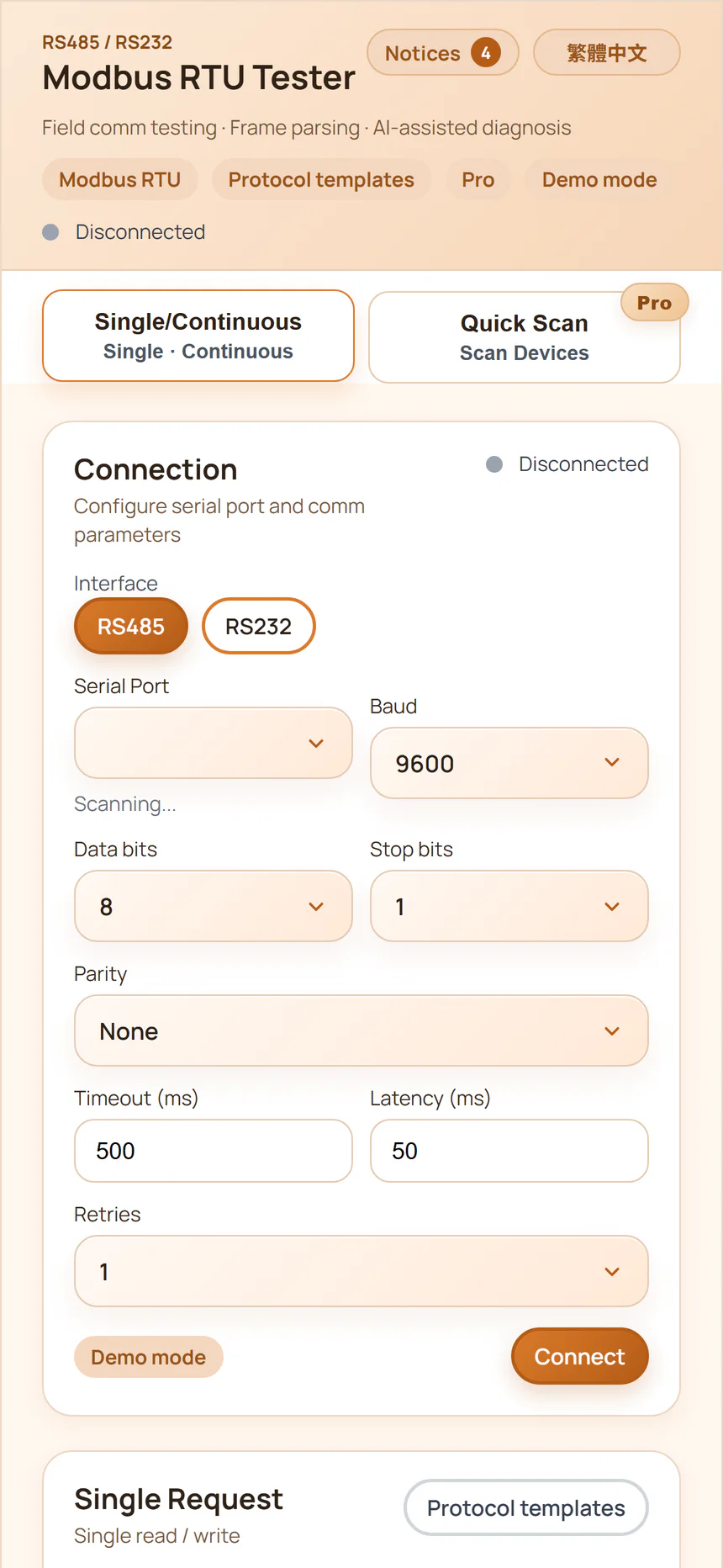
Built for the field
A silent device or an implausible value can have many causes. Test the likely failure points directly beside the equipment.
The device is not responding.
The values look wrong.
You don't know the Slave ID.
Wiring, serial settings, addressing, and data format are all suspects.
No laptop. No complicated setup. Connect, inspect the evidence, and narrow the problem down.
Core features
Switch between the essential Modbus tools without rebuilding your test setup.
AI-assisted diagnosis
The assistant analyzes a diagnostic snapshot — communication settings, TX/RX history, errors, and decoded values — then proposes practical field checks.
Less guessing. Faster troubleshooting.AI Diagnosis is an experimental troubleshooting assistant. Verify results with qualified personnel and the device documentation.
How it works
Connect a USB-RS485 converter to your Android phone or tablet using USB OTG.
Android → USB OTG → USB-RS485 → RS485 DeviceSet baud rate, data bits, parity, stop bits, and Slave ID. Enter a register or select a saved template.
Serial settings + address + registerRead the device, inspect responses, monitor traffic, decode values, or run AI-assisted diagnosis.
Read → Inspect → Narrow downUse cases
Test inverters, meters, weather stations, and protection relays at the solar site.
Verify PLCs, sensors, controllers, gateways, and industrial equipment.
Confirm serial settings and register responses before handover.
Separate network, configuration, protocol, and device-level failures.
Validate register maps and Modbus implementations during integration.
Use raw communication evidence instead of guessing what happened on the bus.
Free & Pro
The essential read workflow is available free. Pro adds the tools used for deeper commissioning and diagnosis.
For basic Modbus RTU testing
For regular field and commissioning work
*Cloud and AI functionality may be subject to usage limits.
Hardware requirements
The field installation may also require correct A/B wiring, a GND reference, device power, and suitable termination.
FAQ
No. Common RS485 and Modbus RTU tests run directly from a compatible Android phone or tablet.
Normally: Android device → USB OTG → USB-RS485 converter → RS485 device.
Yes. Quick Scan can search a Slave ID range and identify responding devices.
Yes. The bus monitor shows TX/RX frames, communication history, errors, and response information.
Yes. Pro supports common Modbus write operations with read-back verification. Confirm the register map and equipment safety requirements before writing.
Compare UInt16, Int16, HEX, Binary, 32-bit, and Float32 interpretations. Register offset, data type, byte order, and word order are common causes.
It uses available communication settings, TX/RX history, errors, and decoded values to suggest likely causes and practical next checks. It does not replace device documentation or professional judgment.
No. It works with compatible Modbus RTU / RS485 equipment across energy, automation, building control, instrumentation, PLC, meter, sensor, and controller applications.
Your next field check
Turn the Android phone already in your pocket into a practical Modbus RTU field diagnostic tool.
Read. Scan. Monitor. Diagnose.